DialogueCraft
A node-based dialogue system for Unity with built-in AI writing and translation tools.
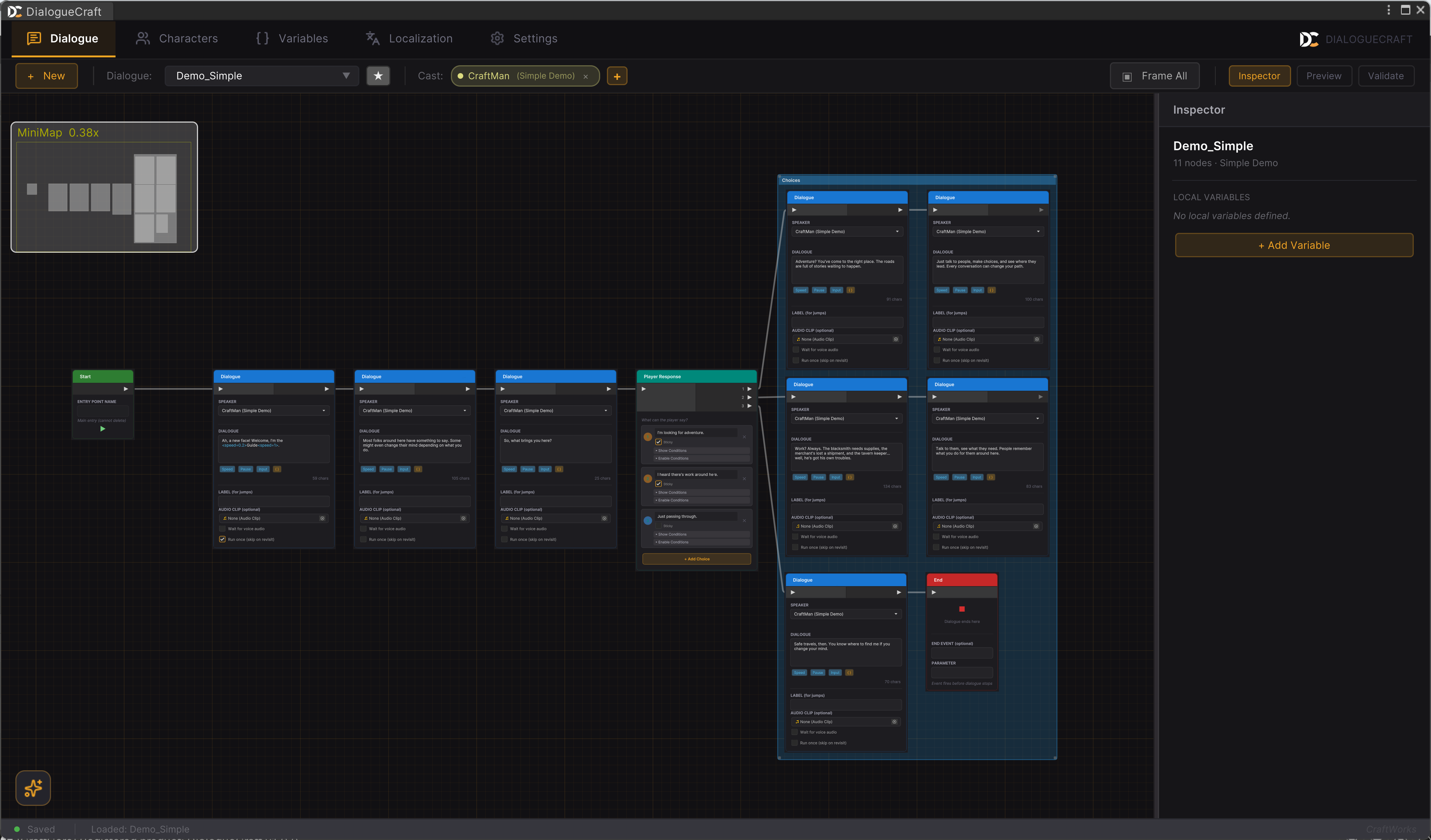
What's in the Box
- Visual graph editor — Create dialogues with nodes, not code.
- 23 node types — Text, choices, branches, cinematics, audio, and more.
- Characters & Variables — Per-character fields, global state, and scoped variables.
- Localization — Built-in, LocalizeCraft, or Unity Localization backends.
- Audio — Unity audio and FMOD, with four channels and typewriter sounds.
- Triggers & Barks — Start dialogues from colliders, clicks, or proximity.
- AI-assisted writing — Draft dialogue and translate it without leaving the editor.
Start Here
New to DialogueCraft? Follow these in order:
- Installation — Add DialogueCraft to your Unity project.
- Your First Dialogue — Build and play a full dialogue in 5 minutes.
- Dialogue Editor — Learn the graph editor interface.
Guides
Deep dives on each feature area.
| Guide | Covers |
|---|---|
| Dialogue Editor | Editor layout, nodes, inspector, preview, validation, search |
| Writing Dialogues | Text, choices, branching patterns, flow control |
| Characters & Actors | Character database, portraits, custom fields, scene integration |
| Variables & Conditions | Global / actor / local scopes, operations, conditions |
| Save & Load | Save slots, auto-save, mid-dialogue snapshots |
| Localization | Languages, translation workflow, CSV import/export |
| Audio | Four channels, Unity + FMOD, voice lines, typewriter sounds |
| Barks | Ambient NPC lines with collections and pooling |
| UI Customization | RPG template, custom UIs via DialogueUIBase |
| AI Features | Writing assistant, AI translation, pipeline |
| Triggers & Interaction | DialogueTrigger, Interactable, InteractionDetector, input |
Reference
- Node Reference — Every node type with fields and runtime behavior.
- API Reference —
DialogueRunnerand key classes. - Text Substitution —
{Variable}patterns in dialogue text. - Settings — All project settings.
- Changelog — Version history.