CraftCore Configuration
Setting up AI providers, API keys, and model selection.
Opening Settings
Menu path: Tools > CraftWorks > CraftCore > Hub > APIs tab
Settings are stored in PlayerPrefs under the key CraftCore_Settings_v1. API keys are obfuscated (XOR + Base64) before storage.
API Key Setup
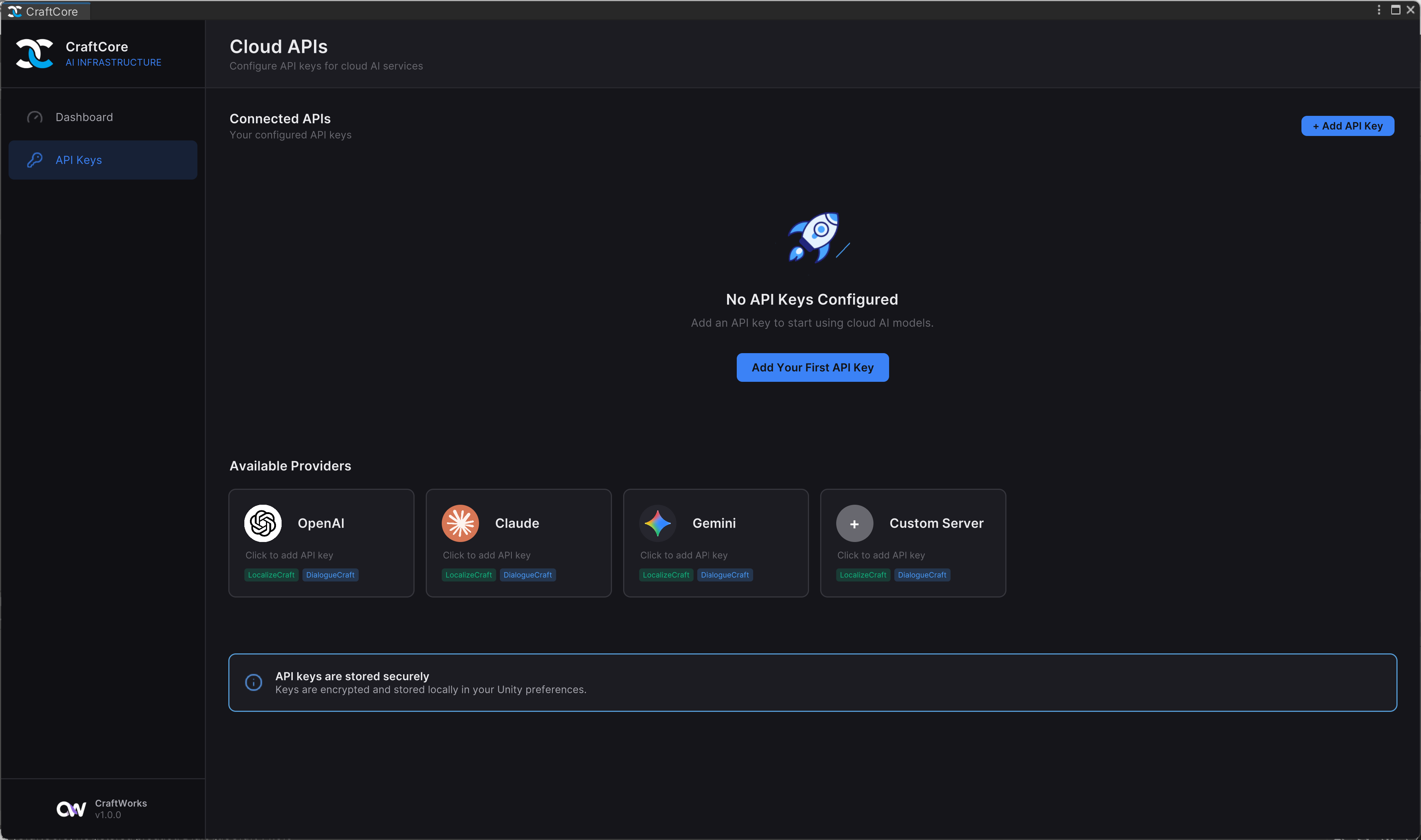
CraftCore supports three cloud providers plus custom endpoints. You need at least one configured to use AI features in CraftWorks products.
OpenAI
- Get an API key from platform.openai.com
- In the CraftCore Hub APIs tab, paste your key in the OpenAI field
- Select a model from the dropdown (auto-fetched from the API)
Anthropic
- Get an API key from console.anthropic.com
- Paste your key in the Anthropic field
- Select a model
Google (Gemini)
- Get an API key from aistudio.google.com
- Paste your key in the Google field
- Select a model
Default Provider
Set the Default API Provider to choose which provider CraftWorks products use by default. Products can override this with per-product configuration.
If the default provider's key is missing, CraftCore falls back to the first provider that has a valid key.
Per-Product Configuration
Each CraftWorks product (DialogueCraft, LocalizeCraft, etc.) can have its own provider and model override via ProductInferenceConfig. By default, products use Auto mode which inherits the global default.
// Get a product's config
ProductInferenceConfig config = CraftCoreProductRegistry.GetProductConfig("dialoguecraft");

// Check if using global default
bool isAuto = config.IsAuto;

// Get the resolved provider (auto resolves to global default)
ApiProvider provider = config.ApiProvider;
Custom Providers
CraftCore supports custom OpenAI-compatible endpoints. This enables use with:
- Self-hosted models (Ollama, LM Studio, vLLM)
- Alternative providers (Together AI, Groq, Fireworks)
- Corporate API gateways
Set the provider to Custom and configure your endpoint URL. The custom client uses the OpenAI chat completions API format.
var client = ApiClientFactory.Create(ApiProvider.Custom, apiKey: "your-key", customEndpoint: "http://localhost:11434/v1");
Model Registry
Models are fetched from each provider's API and cached in EditorPrefs for 24 hours (ModelRegistry). When offline or unconfigured, hardcoded fallback models are used.
// Get models for a provider (cached, with background refresh)
List<ApiModelInfo> models = ModelRegistry.GetModels(ApiProvider.OpenAI);

// Force refresh
await ModelRegistry.RefreshAsync(ApiProvider.OpenAI);

// Listen for updates
ModelRegistry.OnModelsUpdated += (provider) => { /* refresh UI */ };
API Key Validation
var client = ApiClientFactory.Create(ApiProvider.OpenAI);
bool valid = await client.ValidateApiKeyAsync();
Checking Availability
// Any provider configured?
bool available = CraftCoreAI.IsAvailable;

// Specific provider
bool hasOpenAI = CraftCoreSettings.Instance.HasApiKey(ApiProvider.OpenAI);

// All configured providers
List<ApiProvider> configured = CraftCoreSettings.Instance.GetConfiguredProviders();

// Count
int count = CraftCoreSettings.Instance.GetConfiguredApiCount();